AI Ticketing System
An AI-powered assistant that transforms unstructured emails and support requests into structured, prioritized tickets with auto-generated task breakdowns.
The Big Picture
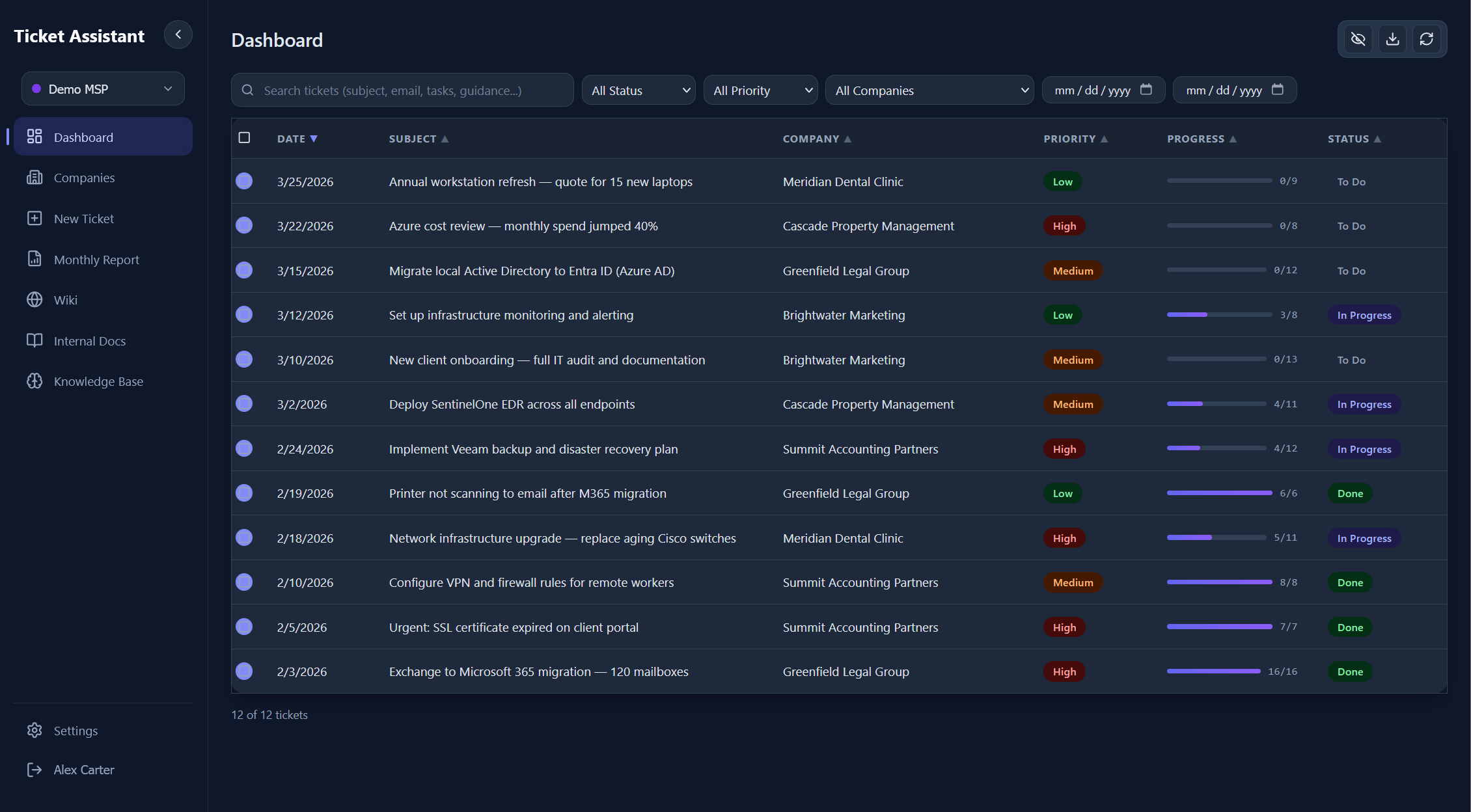
A full-stack AI system that reads support emails, breaks them into granular tasks, and connects every response to an internal knowledge base.
IT support teams receive a constant stream of unstructured requests: emails with vague subjects, screenshots with no context, forwarded threads with multiple asks buried in one message. This system ingests all of it, uses Google Gemini to extract structured tickets with prioritized task lists, and lets operators refine results through real-time AI chat before saving.
The platform includes a full wiki system with version control, a knowledge base with document-aware Q&A, streaming AI guidance per task, auto-organized company tracking, and a multi-workspace architecture where each tenant's data is completely isolated.
The Problem
Manually triaging unstructured support requests is tedious, error-prone, and doesn't scale.
MSPs and IT teams receive requests in every format imaginable: emails with screenshots, PDFs with no context, forwarded threads with five different asks in one message. Manually reading each one, deciding priority, creating tasks, and writing a response is slow and inconsistent. Critical requests get lost, priorities are guessed at, and institutional knowledge lives in people's heads instead of a searchable system.
There was no tool that could intelligently parse an email (including attached images, PDFs, and Word docs), break it into granular tasks, and connect it to an internal knowledge base, all in one workflow.
Unstructured Input
Emails with vague subjects, screenshots, PDFs, forwarded threads. No consistent format to parse.
Manual Triage
Every request required a human to read, classify, prioritize, and create tasks. A bottleneck that didn't scale.
Knowledge Silos
Institutional knowledge lived in people's heads. New team members had no way to find past solutions.
No Task Decomposition
A single email might contain 5 distinct issues, but ticketing systems treat it as one item.
How It Works
A multi-stage pipeline from raw email to completed ticket.
A user pastes an email or support request into the ingestion page, optionally attaching images, PDFs, or Word documents via drag-and-drop. The Express backend processes attachments through a type-aware pipeline: images are base64-encoded for Gemini's vision input, PDFs extracted via pdf2json, Word docs via mammoth.
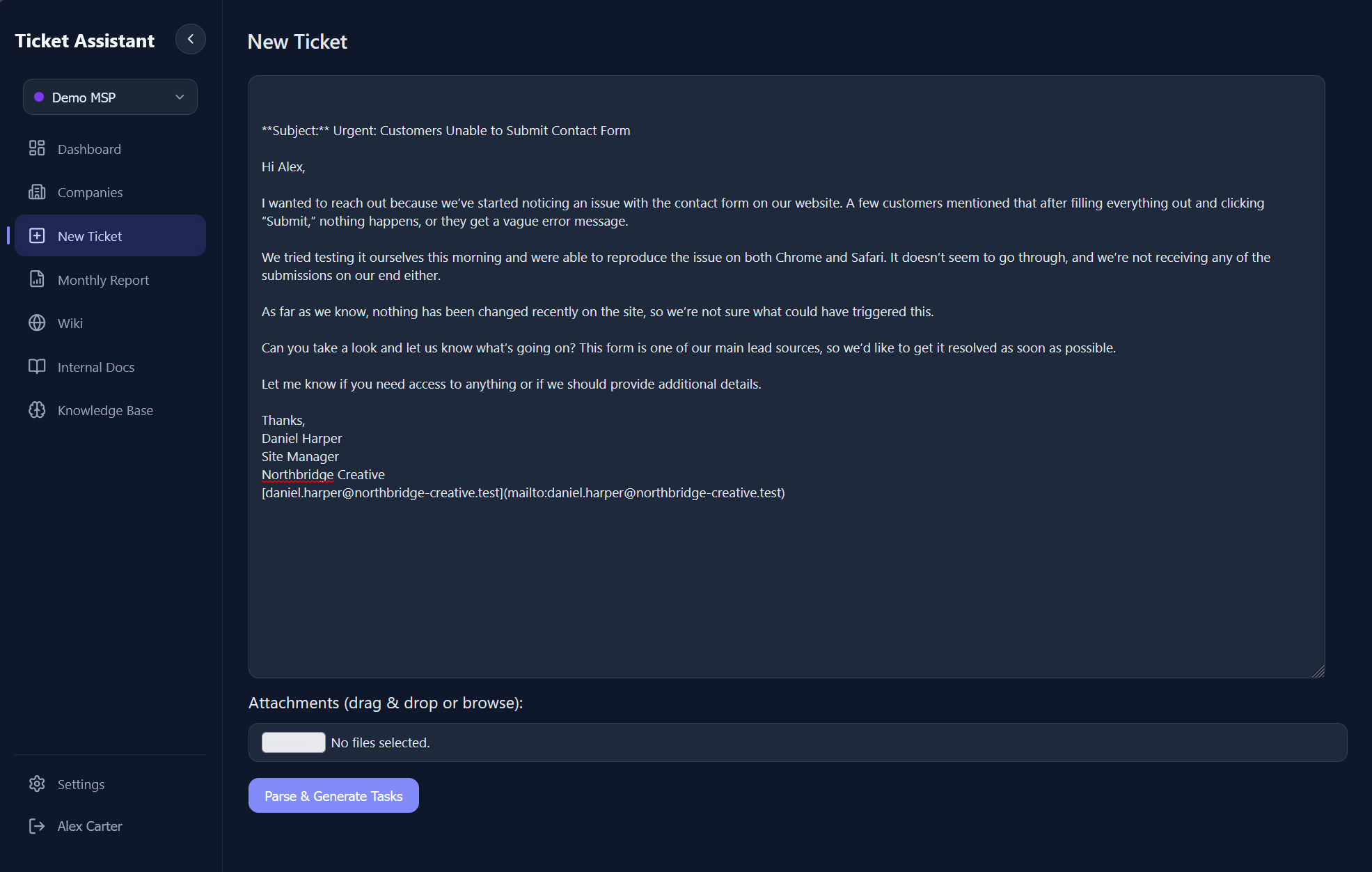
3.0 - The ingestion page where raw emails and attachments are pasted for AI processing.
Everything is bundled into a multimodal prompt enriched with relevant internal documents and wiki pages. Gemini analyzes the full input, identifies distinct issues, assigns priority, extracts the company name from context clues and email signatures, and generates 5-20 granular actionable tasks. Before saving, the user can chat with the AI in real-time via SSE streaming to adjust tasks, add context, or ask clarifying questions.
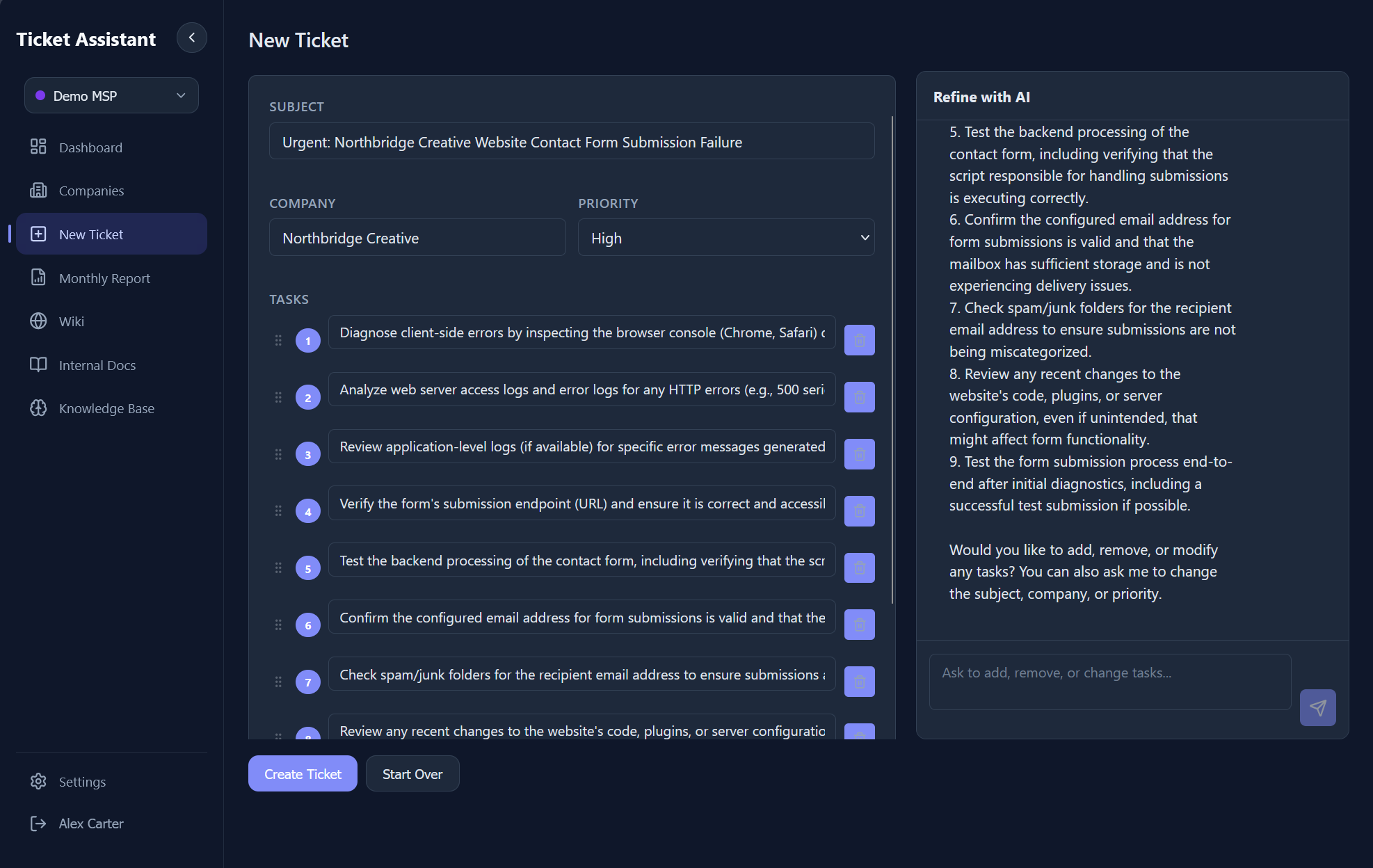
3.1 - AI-generated tasks and the streaming chat refinement interface. Users can modify tasks, adjust priorities, and ask follow-up questions before saving.
On confirmation, the ticket and tasks are persisted to the workspace's data store. The AI acts as a "Project Manager" during ingestion, parsing work and proposing structure. It can add or remove tasks, change the subject, adjust priority, and update the company name through the chat interface, all before the ticket is committed.
Architecture
A self-contained full-stack application with hybrid storage and multi-workspace isolation.
The frontend is a React 18 SPA built with Vite, using React Router across 13 pages with Framer Motion transitions, Headless UI for accessible components, and full light/dark mode theming. The backend is an Express 5 API server with JWT-based session auth, workspace-scoping middleware, and 50+ REST endpoints.
Each workspace gets its own isolated data directory with completely separate tickets, documents, and wiki databases. The service layer follows a domain-driven pattern (AuthService, TicketService, WikiService, DocumentService, OpenAIService), each self-contained with its own persistence, cached per workspace.
Storage is hybrid: sql.js (SQLite compiled to WASM) powers the wiki system where relational queries matter (version history, chunked full-text search, category and tag relationships). Everything else uses JSON files where simplicity wins. Zero external dependencies: no Postgres, no Redis, no cloud storage. The entire app runs in a single Docker container with a volume mount.
Multi-Workspace Isolation
Each workspace gets its own data directory with separate tickets, docs, and wiki databases. Middleware resolves the active workspace per-user on every request.
Hybrid Storage
sql.js (WASM SQLite) for the wiki where relational queries matter. JSON files for tickets, docs, users, and config where simplicity wins.
SSE Streaming
AI responses stream token-by-token from Gemini through Express to React via Server-Sent Events. No WebSocket server needed.
Ticket Management
A full ticket lifecycle with nested tasks, cascading status updates, and inline editing.
Each ticket is a tabbed interface with views for Tasks, Original Email, Technical Guidance, Resolution Summary, and Job Description. The task list renders as a checklist with drag-and-drop reordering, nested subtasks, bulk selection, and search filtering.
Task completion triggers cascading logic: checking a parent task auto-completes all children, completing all siblings auto-completes the parent, and when every top-level task is done, the ticket status transitions to "Done" automatically. Unchecking a task on a completed ticket reverts it to "In Progress." Each completion records a timestamp used for billing reports.
When a task is marked complete, the system checks if any wiki pages might be outdated by the completed work. If matches are found, a suggestion banner offers to preview and apply AI-generated updates to those pages, linked back to the ticket.
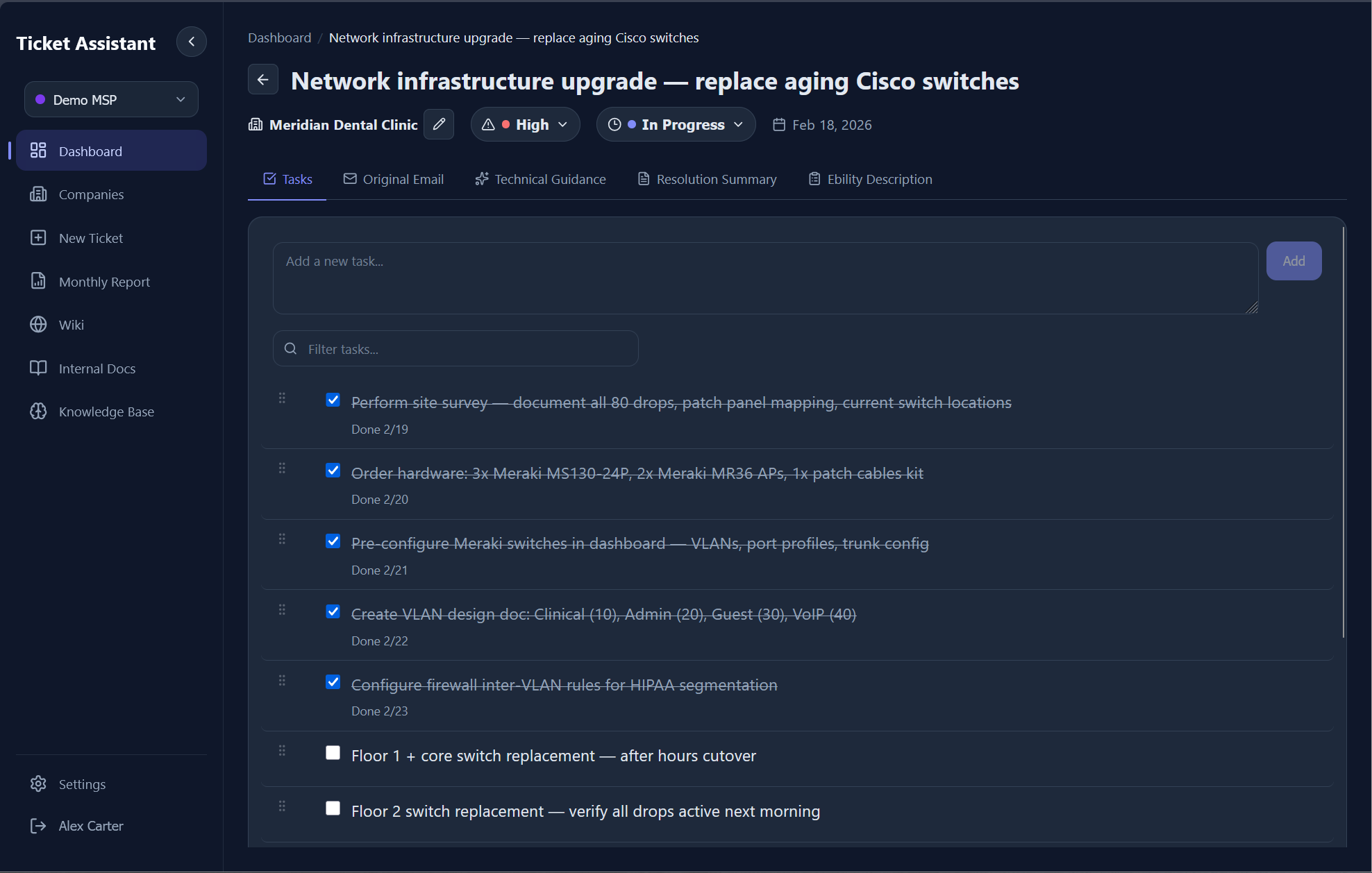
5.0 - Ticket detail view with task checklist, priority badge, company name, and inline editing.
Technical Guidance AI
A streaming AI advisor that generates implementation guides and answers follow-up questions per ticket.
After a ticket is created, the system auto-generates a step-by-step technical implementation guide. The AI acts as a "Senior Technical Lead," breaking down tasks, suggesting commands and tools, highlighting risks, and providing code snippets. If relevant internal docs or wiki pages exist, they're injected into the prompt so the AI prefers citing internal procedures over generic advice.
Users can then ask follow-up questions in a streaming chat interface. Each message includes the full context: ticket subject, all task descriptions, the previously generated guidance, relevant internal docs, and the complete chat history. Responses stream token-by-token via SSE, making the interface feel responsive even on complex queries.
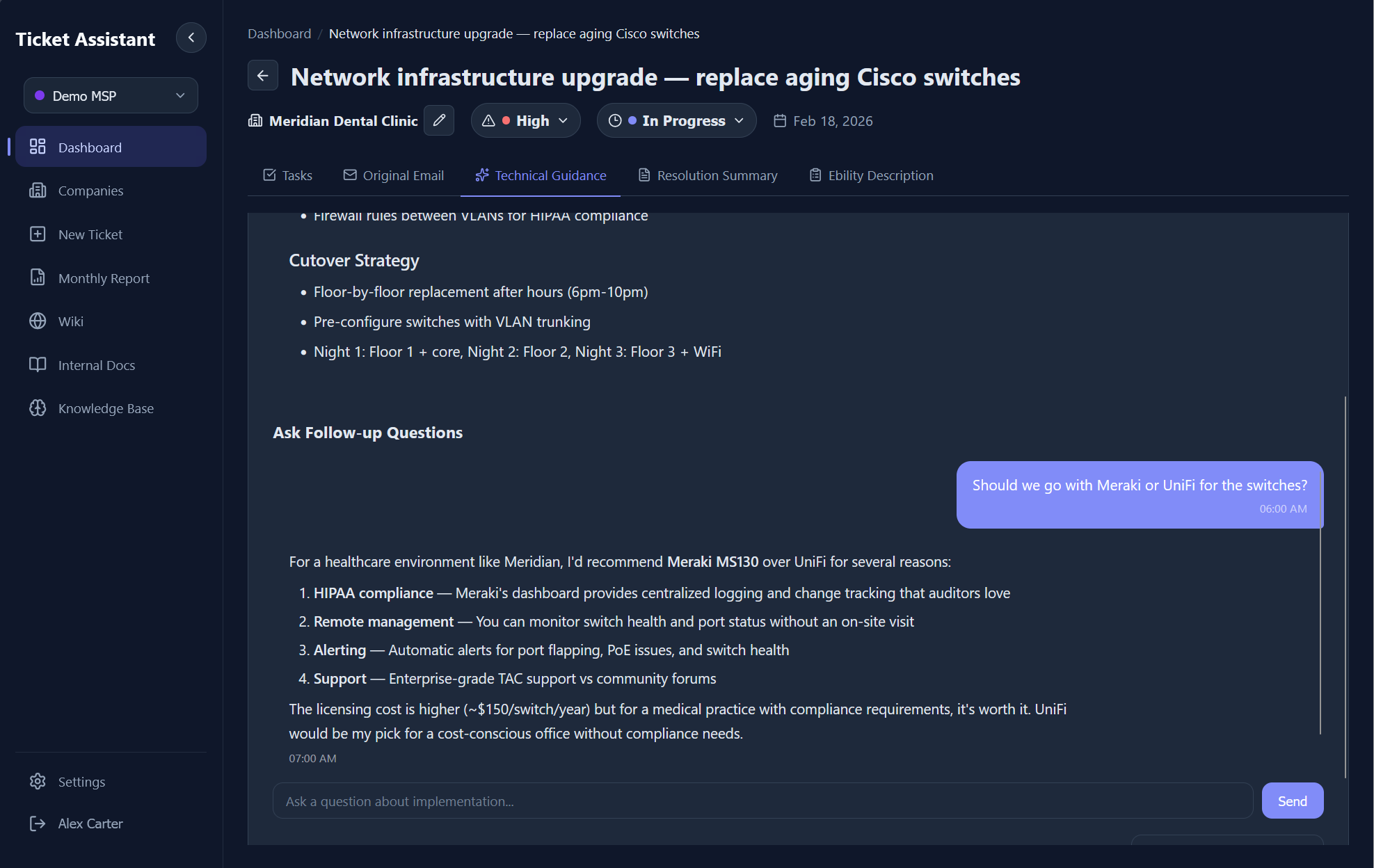
6.0 - AI-generated technical guidance with streaming follow-up chat. Context includes the ticket, tasks, and relevant wiki pages.
Wiki & Knowledge Base
A full internal knowledge base with version control, chunked search, and automatic AI context injection.
The wiki is backed by sql.js, an in-process SQLite database compiled to WASM. The schema includes six tables: pages, tags, page versions, chunks, categories, and files. Every content edit creates a versioned snapshot with editor name, change summary, and an optional link back to the source ticket that triggered the update.
Search works without vector embeddings. Long pages are split into chunks targeting ~800 tokens each. Queries are tokenized, stop-words filtered, and chunks scored by keyword density with bonuses for title matches, category matches, tag matches, and phrase proximity. Pinned pages bypass scoring and are always included in AI context.
Every AI call in the system (ingestion, guidance, chat) first queries the wiki and document store for relevant content. Up to 5 wiki pages and 5 documents are scored, and the top excerpts (capped at 4KB each) are injected into the system prompt as "Internal Documentation Reference."
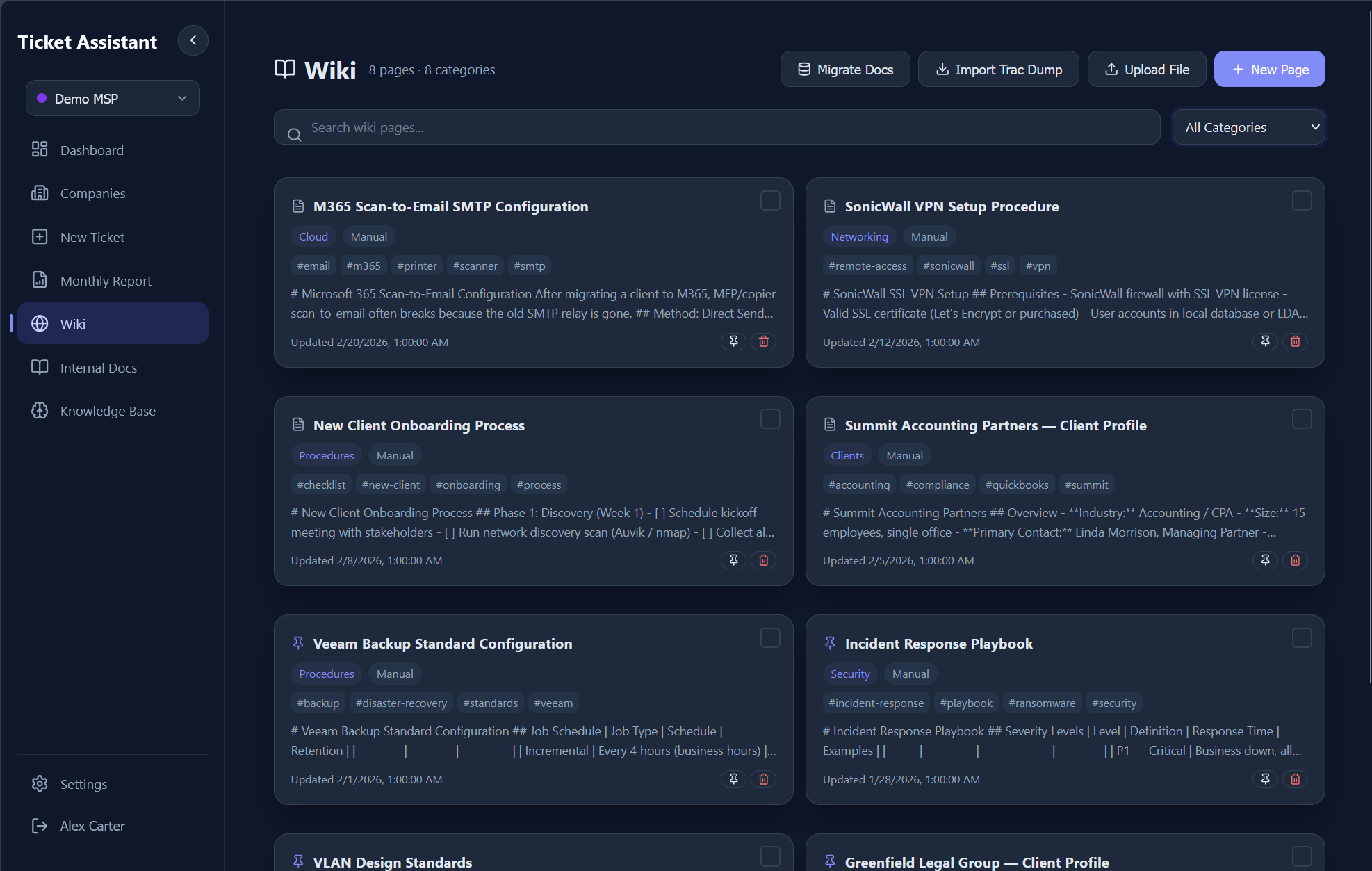
7.0 - Wiki page list with categories, tags, and search.
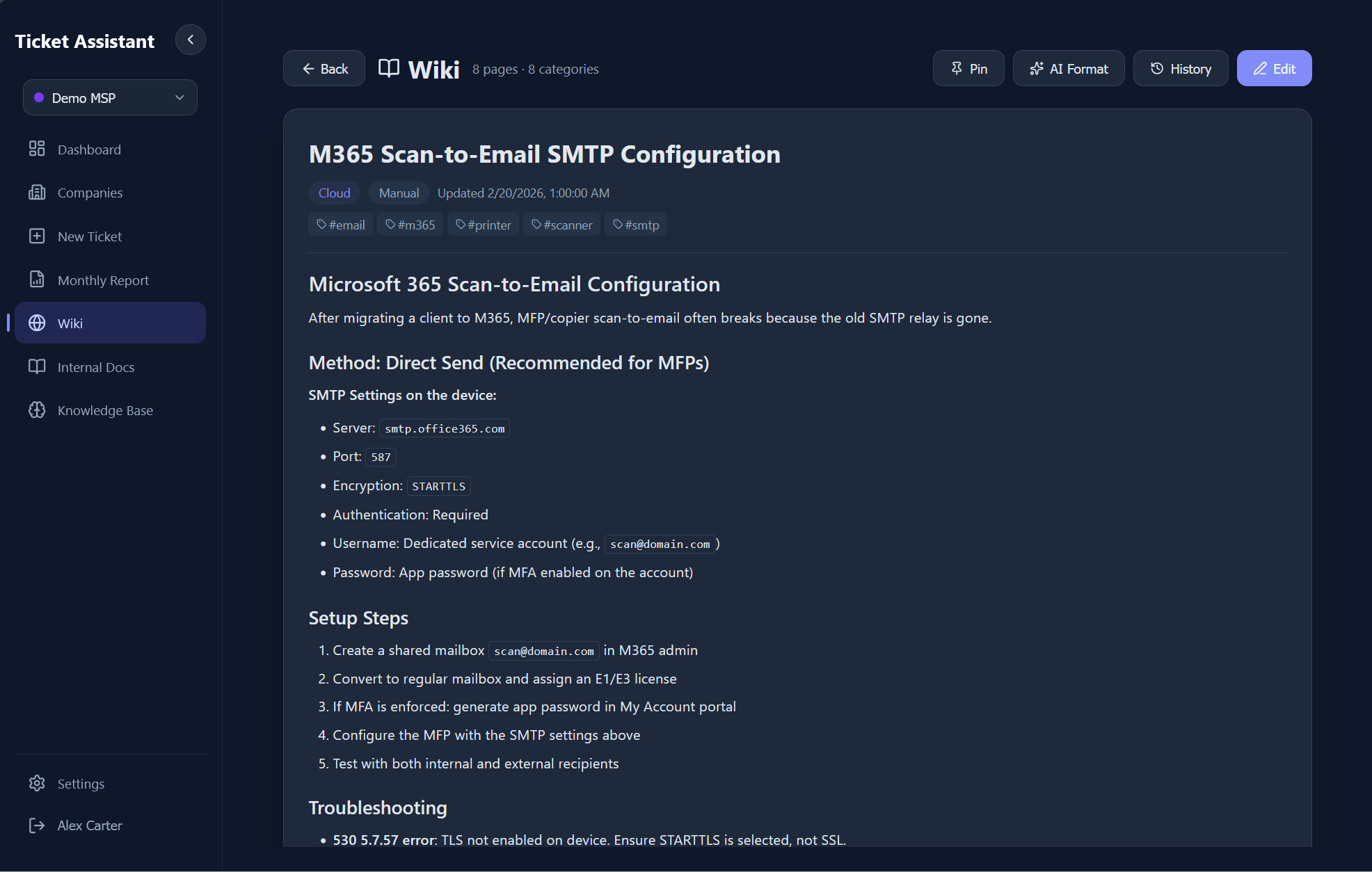
7.1 - A wiki document with version history and content editing.
Companies & Auto-Organization
Zero-config client tracking. The AI extracts company names from emails and the system auto-organizes tickets by client.
During email parsing, Gemini extracts the company name from signatures, domain names, and context clues in the email body. This is stored as a plain string on each ticket. There is no separate companies table or CRM-style setup.
The Companies page aggregates all tickets client-side, building a map of every company with stats: total tickets, active tickets, completed tickets, and last active date. Clicking a company filters to that client's tickets with full search, sort, and status filtering. Company names can also be manually edited on any ticket via inline editing.
For MSPs managing dozens of clients, this eliminates the overhead of maintaining a separate CRM. Every email automatically organizes itself by client with zero configuration.
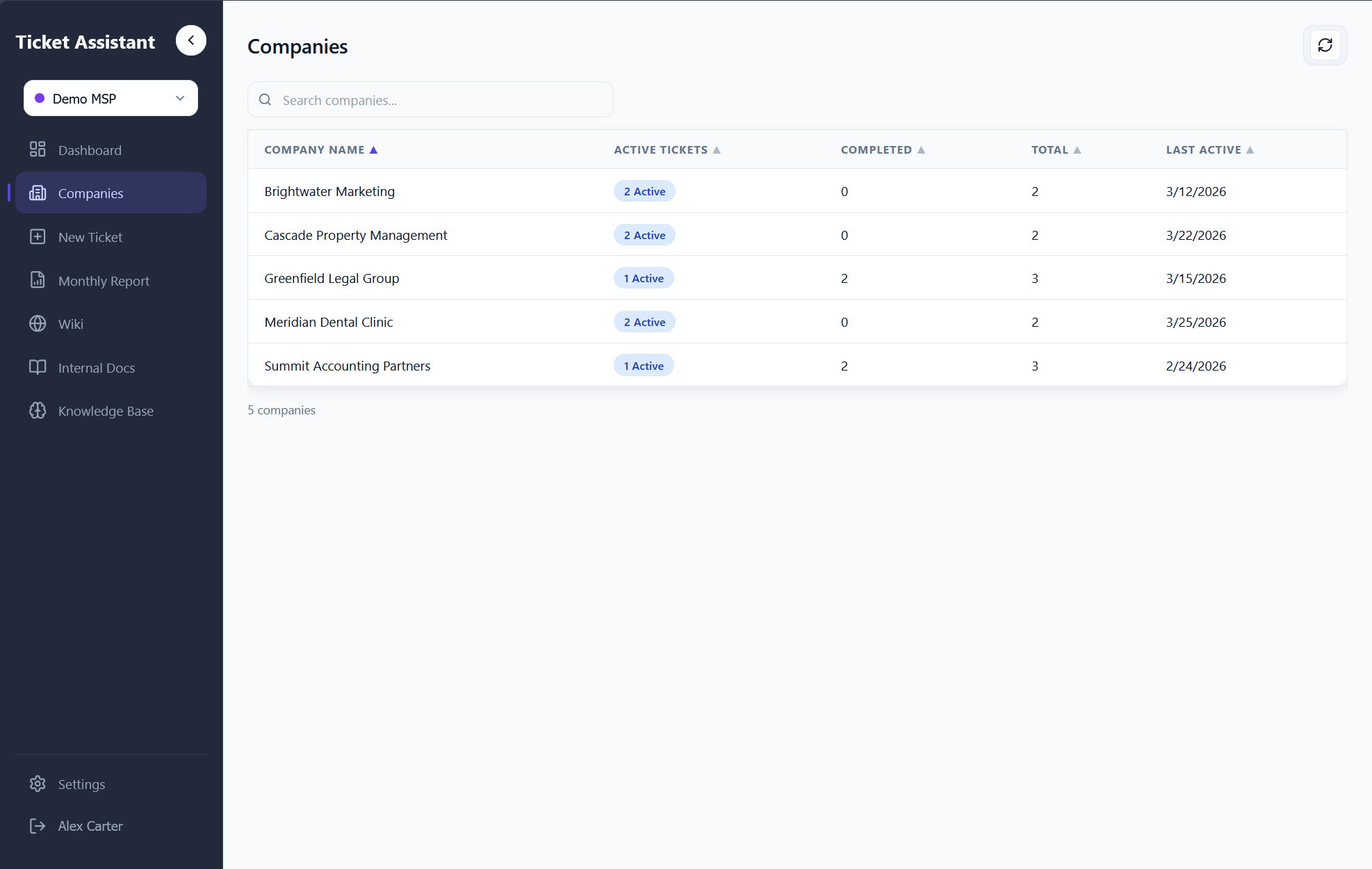
8.0 - Auto-organized company list with ticket counts, active/completed stats, and last activity.
Billing & Reports
AI-generated job summaries and monthly CSV exports for invoicing.
When tasks are completed, the system can generate a chronological, past-tense billing description of all work performed on a ticket. The AI takes completed tasks with their timestamps, sorts them by date, and produces a cohesive summary formatted for copy-paste into time-tracking or billing software. Descriptions start with the user's sign-off name, avoid first person, and organize work chronologically.
The Monthly Report page filters all "Done" tickets for a selected month, groups them by date, and displays each with its company name, subject, and billing description. A CSV export generates a downloadable file with columns for date, company, subject, and description. There's also a Markdown export and a "Copy All" button for clipboard paste. If a ticket is missing its description, a "Generate" button triggers on-demand AI generation.
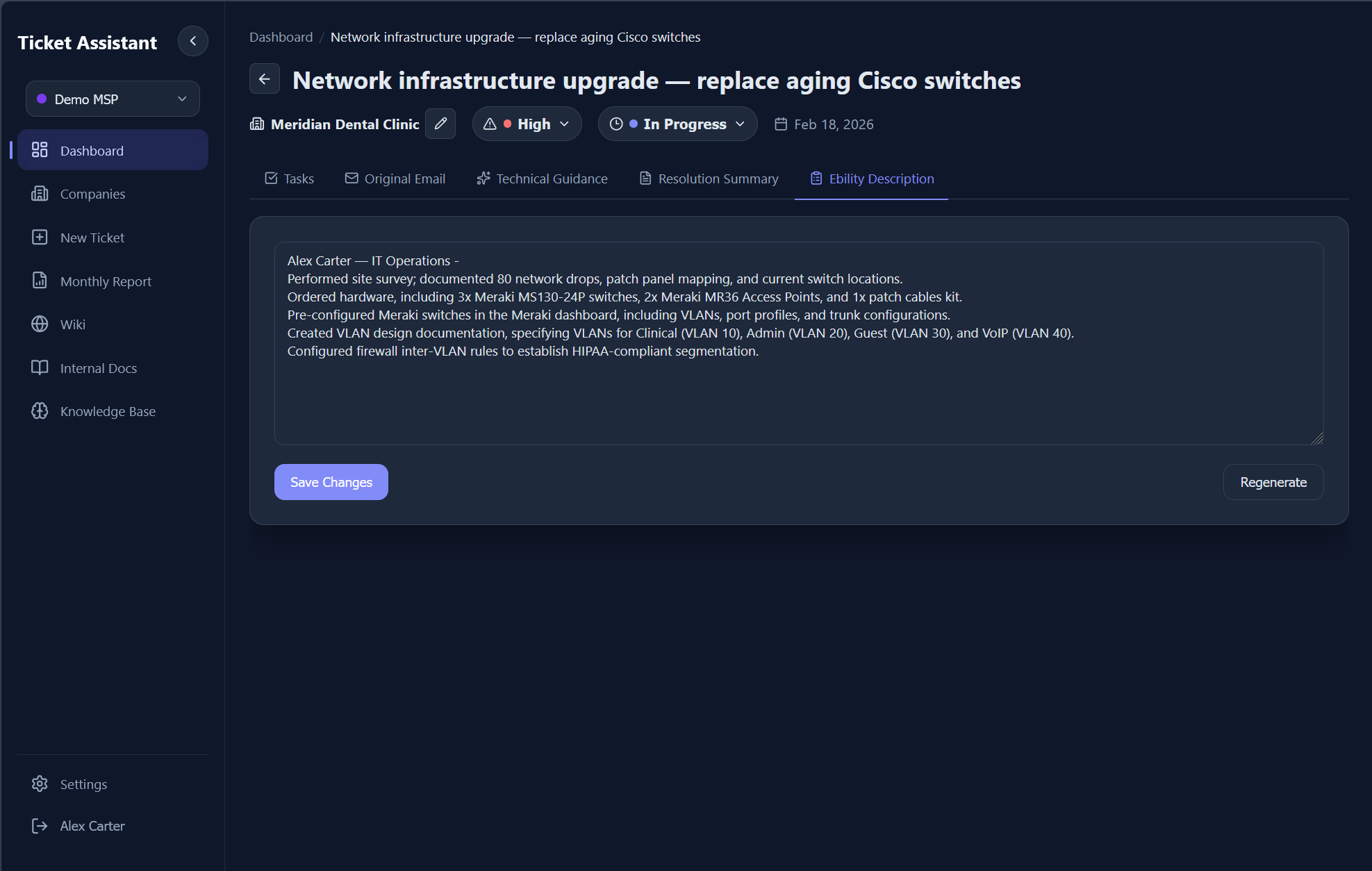
9.0 - AI-generated billing description summarizing completed work in past tense for invoicing.
Design Decisions
Intentional technical choices and why they were made.
OpenAI SDK to Gemini
The OpenAI SDK is the most battle-tested LLM client. Pointing it at Google's OpenAI-compatible endpoint gets Gemini's cost advantages while retaining the ability to swap providers by changing one URL.
SSE Over WebSockets
Server-Sent Events are unidirectional, exactly what streaming AI responses need. SSE works over standard HTTP, auto-reconnects, and plays nicely with Express middleware. No heartbeats or upgrade handshakes.
File-Based Persistence
The entire app state lives in a data/ directory. Back it up by copying a folder. No database migrations, no connection strings, no managed services. For team-scale usage, this is the right trade-off.
The project started as an Electron desktop app and was migrated to a web app with Express serving both the API and the static SPA build. This enabled Docker deployment and multi-user access without rewriting the service layer.
Challenges
The hardest problems encountered during development and how they were solved.
Multimodal input processing.Gemini's vision API needs base64-encoded images with MIME types, but users paste content in unpredictable formats. The solution was a processing pipeline that detects file types by extension, routes each to the appropriate extractor (pdf2json, mammoth, or raw base64), and assembles mixed-content prompts with both text and image content blocks.
Streaming through Express. Getting token-by-token streaming from Gemini through an Express endpoint into a React component required careful plumbing: chunked transfer encoding on the backend, ReadableStream with incremental decoding on the frontend, and graceful error recovery mid-stream for partial JSON responses.
Wiki search without vectors. Instead of introducing embeddings and a vector store, the wiki uses sql.js with a chunking strategy. Long pages are split into chunks with token estimates. Search queries are tokenized, stop-words filtered, and chunks scored by keyword density. Pinned pages bypass scoring and are always included.
Retroactive multi-workspace support. Adding workspace isolation meant every service needed to become workspace-aware without breaking existing data. Each service instance is cached per workspace ID, and the migration preserved single-workspace data by treating the first workspace as the default.
Retrospective
What worked, what I'd change, and what I learned.
Right-Size the Stack
JSON files and in-process SQLite were the right call for this scale. Not every project needs Postgres, but the next version would benefit from it for concurrent write safety.
Streaming Is Worth It
SSE streaming across all AI interfaces made the system feel responsive and interactive. The implementation complexity paid for itself in user experience.
Build the Knowledge Layer
The custom relevance engine and wiki system turned generic AI responses into context-aware answers. The quality difference between prompted and un-prompted AI is massive.
If rebuilding from scratch: a real database for concurrent write safety, route modules instead of a single 1,200-line server file, vector embeddings for semantic document retrieval, and proper error boundaries with exponential backoff on the AI integration. The rapid development cycle validated the architecture quickly, but the next iteration would invest in automated tests and a more modular backend structure.
RLA Studios
Founder - 2024